
This document explains how to implement a basic authentication flow when embedding your application inside an iFrame. Below is a diagram illustrating the authentication flow:
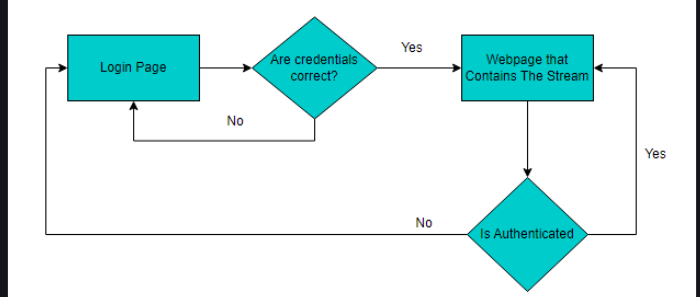
The logic is structured as follows:
-
The user lands on the Login Page
-
Credentials are validated
-
If valid, the user is redirected to the webpage containing the stream
-
The stream page verifies authentication before loading
-
If authentication fails, the user is redirected back to login
Implementation Steps:
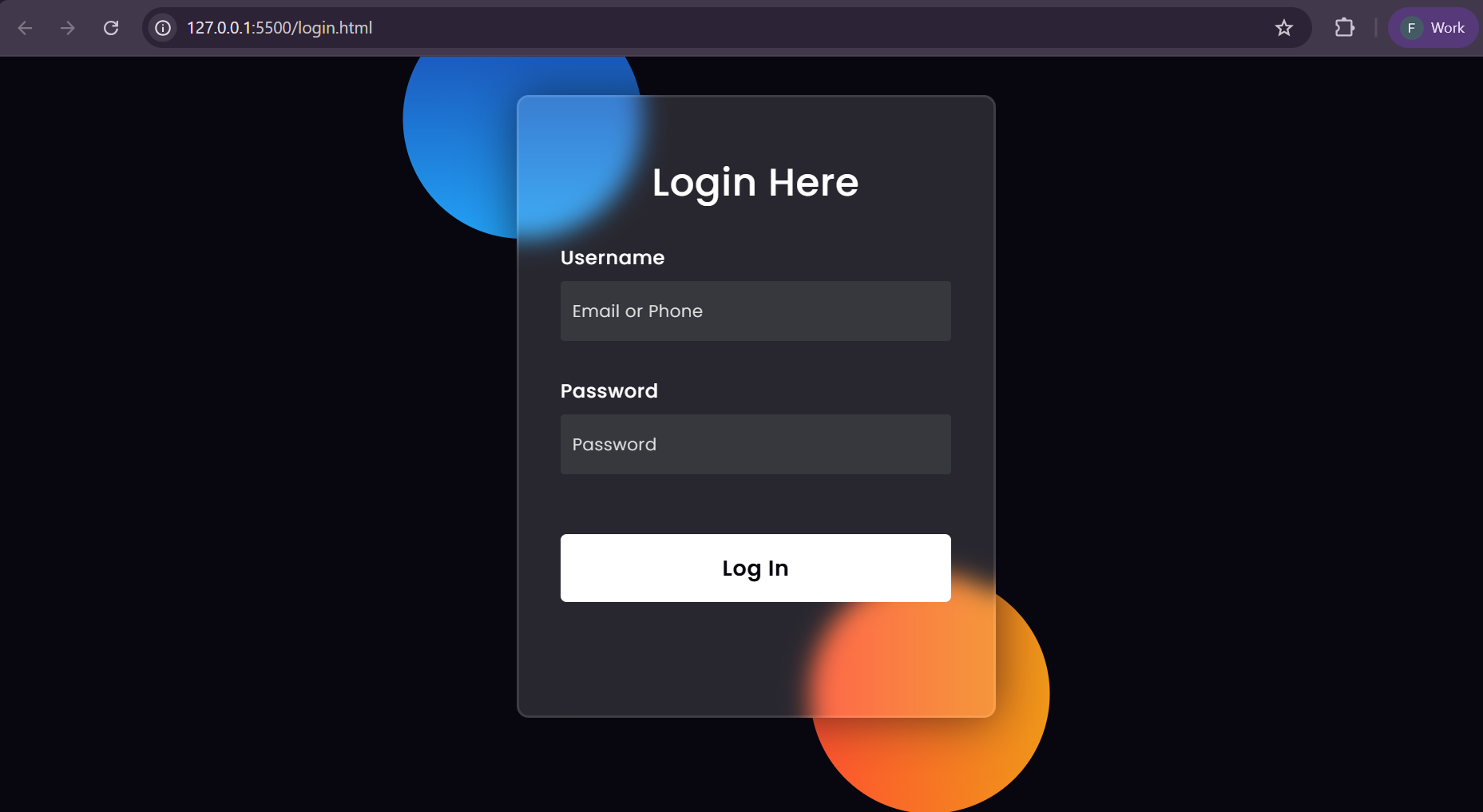
Step 1. Create a Login Page
Create a login form that captures user credentials.
<form onsubmit="handleLogin(event)">
    <h3>Login Here</h3>

    <label for="username">Username</label>
    <input type="text" placeholder="Email or Phone" id="username" name="username">

    <label for="password">Password</label>
    <input type="password" placeholder="Password" id="password" name="password">

    <button type="submit">Log In</button>
</form>
Step 2. Handle Authentication Logic
On form submission, implement your authentication logic. In this example, a simple localStorage flag is used for demonstration purposes.
function handleLogin(e){
    e.preventDefault();
  const form = e.target;
  const username = form.username.value;
  const password = form.password.value;

  // Replace this with your actual authentication logic
  localStorage.setItem("isAuthenticated", true);

  // Redirect to the page containing the iFrame stream
  window.location.href = "/E3DS_Iframe_Demo.htm";
}
Important:
This example uses localStorage for simplicity. In production environments, authentication should be handled securely on the server side.
Step 3. Protect the Stream Page
On the webpage that contains the iFrame stream, verify authentication before allowing access.
window.onload = function(){
    // Replace this with your proper authentication validation
    if(!localStorage.getItem("isAuthenticated")){
        window.location.href = "/login.html";
    }
}
If the user is not authenticated, they are redirected to the login page.
Example Repository
A simple working example is available here:
https://github.com/e3ds/E3DS-Iframe-Demo/tree/iframe-demo-html-login
The repository includes:
-
A basic
login.htmlpage -
A protected stream page using an iFrame
-
Client-side authentication logic for demonstration
Need help?
If you need any assistance, feel free to reach out through any of the following channels:
🛠️ Support Portal: Contact Our Support Team
💬 Discord Community (Faster Support): Join Our Discord Community
📧 Email Support: support@eagle3dstreaming.com
Follow us on: