This guide explains how to capture a screenshot from your Pixel Streaming session using the Eagle 3D Streaming SDK.
There are three ways to Capture Screenshot:
-
Inside the Unreal App (Blueprint): Refers to Capture Screenshot Using SDK guide.
-
Capture Screenshot using iFrame: Coming Soon….
-
Capture Screenshot Using SDK: Covered in this guide.
Live Streaming URL:
https://e3ds.github.io/pixelstreaming-sdk/e3ds_streaming_FE.html
Demo Project GitHub Repository:
Follow the steps below:
Step 1. Add the Screenshot Function
Add the following function inside your scripts_demo.js file:
function captureStreamScreenshot() {
    console.log("Capturing screenshot");
    e3ds_controller.captureScreenShot();
}
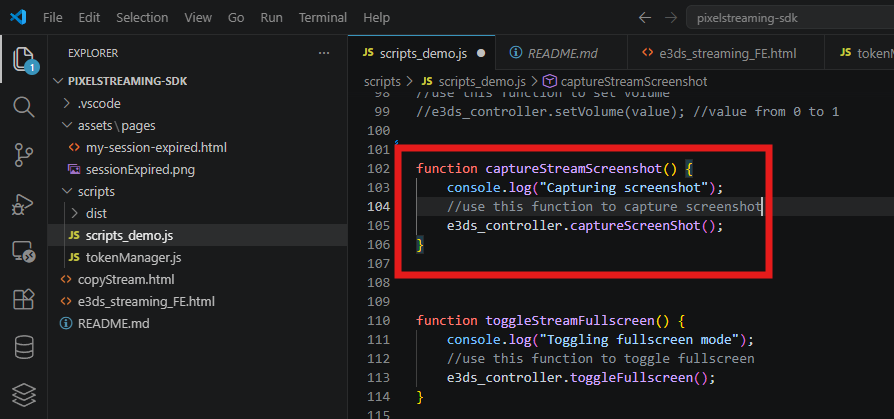
Explanation
|
Code |
Meaning |
|---|---|
|
|
Creates a function to capture a screenshot from the stream. |
|
|
Prints a message in the browser console for testing. |
|
|
Calls the SDK function to capture the screenshot from the Pixel Streaming session. |
Step 2. Add a Screenshot Button in the HTML Page
Add the following button in your HTML page:
<button onclick="captureStreamScreenshot()">Capture Screenshot</button>
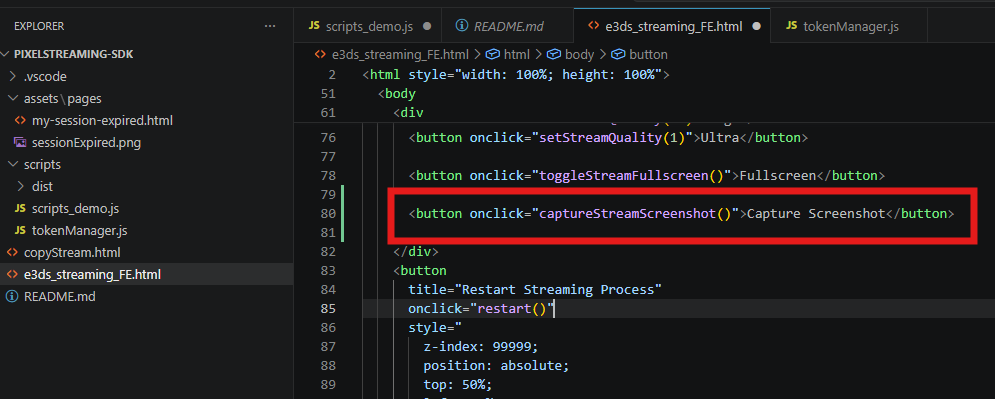
Explanation
|
Code |
Meaning |
|---|---|
|
|
Creates a clickable button on the webpage. |
|
|
Calls the screenshot function when the button is clicked. |
|
|
Text shown on the button. |
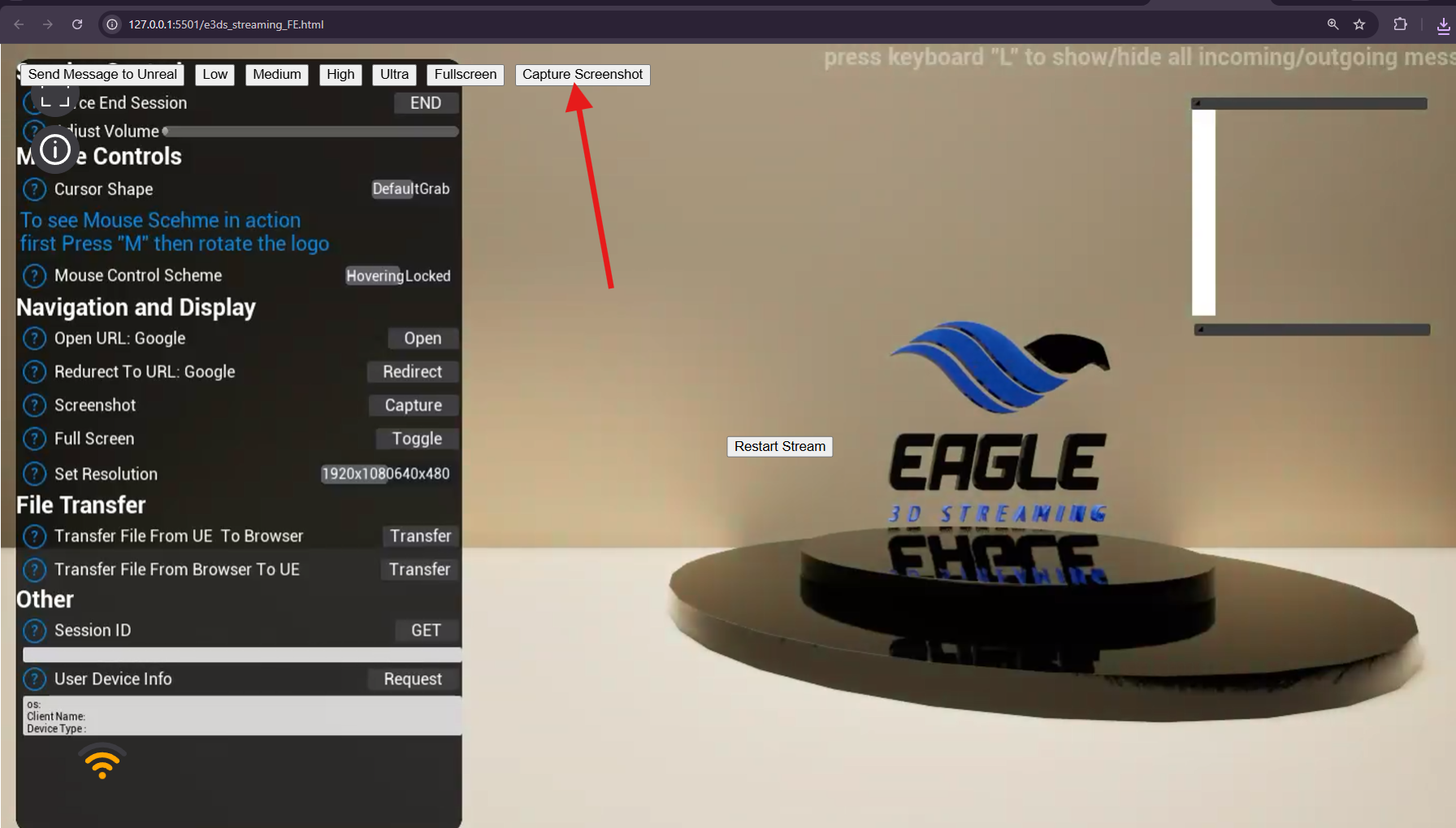
Step 3. Test the Screenshot Button
After adding the function and button:
-
Run your SDK webpage.
-
Wait until the stream is fully connected.
-
Click the Capture Screenshot button.
-
The SDK will capture a screenshot from the current stream view.
You can also open the browser console and check the log:
Capturing screenshot
This confirms that the screenshot function is being triggered from the frontend.
Live Streaming URL:
https://e3ds.github.io/pixelstreaming-sdk/e3ds_streaming_FE.html
Important
The screenshot should be captured only after the stream is fully connected.
If the stream is not loaded yet, the screenshot may not capture properly.
Make sure the user clicks the button after the video stream is visible.
Troubleshooting
|
Issue |
Possible Cause |
Solution |
|---|---|---|
|
Screenshot button does nothing |
Function name mismatch |
Make sure the button calls the correct function name: |
|
|
Function is not added or not loaded properly |
Add the function in |
|
|
SDK is not loaded yet |
Make sure the SDK is loaded before calling |
|
Screenshot is blank or not correct |
Stream is not fully loaded |
Wait until the stream is fully connected and visible before capturing |
|
Screenshot does not download/show |
Browser or SDK behavior may depend on implementation |
Check browser console for errors and test again after stream is connected |
Need help?
If you need any assistance, feel free to reach out through any of the following channels:
🛠️ Support Portal: Contact Our Support Team
💬 Discord Community (Faster Support): Join Our Discord Community
📧 Email Support: support@eagle3dstreaming.com
Follow us on: