This guide explains how to toggle fullscreen mode for your Pixel Streaming session using the Eagle 3D Streaming SDK.
There are three ways to implement fullscreen toggling:
-
Inside the Unreal App (Blueprint): Refers to Toggle Fullscreen Using Blueprint guide.
-
Toggle Fullscreen in iFrame: Refers to Toggle Fullscreen Using iFrame guide.
-
Toggle Fullscreen Using SDK: covered in this guide.
Live Streaming URL:
https://e3ds.github.io/pixelstreaming-sdk/e3ds_streaming_FE.html
Demo Project GitHub Repository:
Follow the steps below:
Step 1. Add the Fullscreen Function
Add the following function inside your scripts_demo.js file:
function toggleStreamFullscreen() {
    console.log("Toggling fullscreen mode");

    e3ds_controller.toggleFullscreen();
}
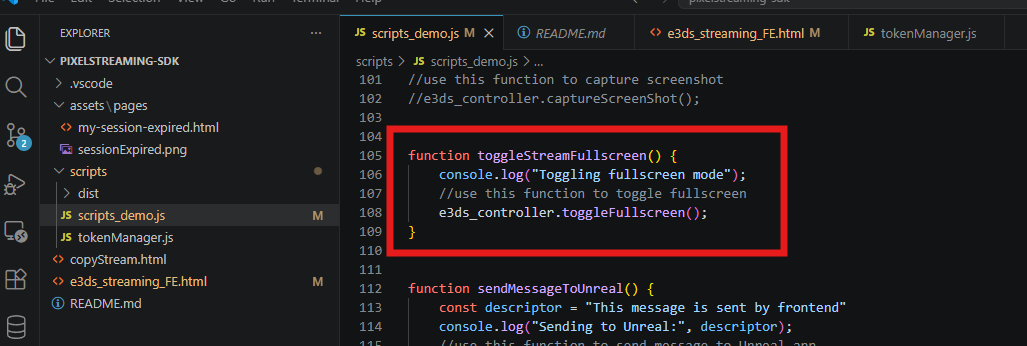
Explanation
|
Code |
Meaning |
|---|---|
|
|
Creates a function to toggle fullscreen mode. |
|
|
Prints a message in the browser console for testing. |
|
|
Calls the SDK function to enter or exit fullscreen mode. |
Step 2. Add a Fullscreen Button in the HTML Page
Add the following button in your HTML page:
<button onclick="toggleStreamFullscreen()">Fullscreen</button>
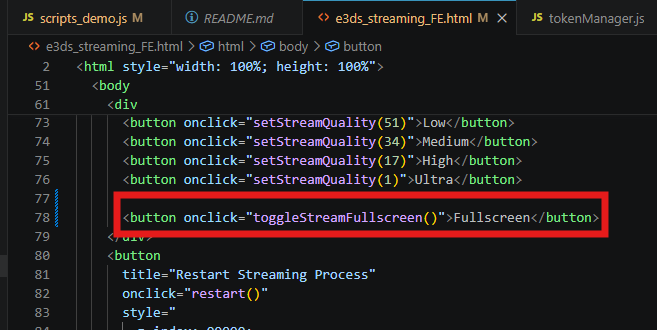
Explanation
|
Code |
Meaning |
|
|
Creates a clickable button on the webpage. |
|
|
Calls the fullscreen function when the button is clicked. |
|
|
Text shown on the button. |
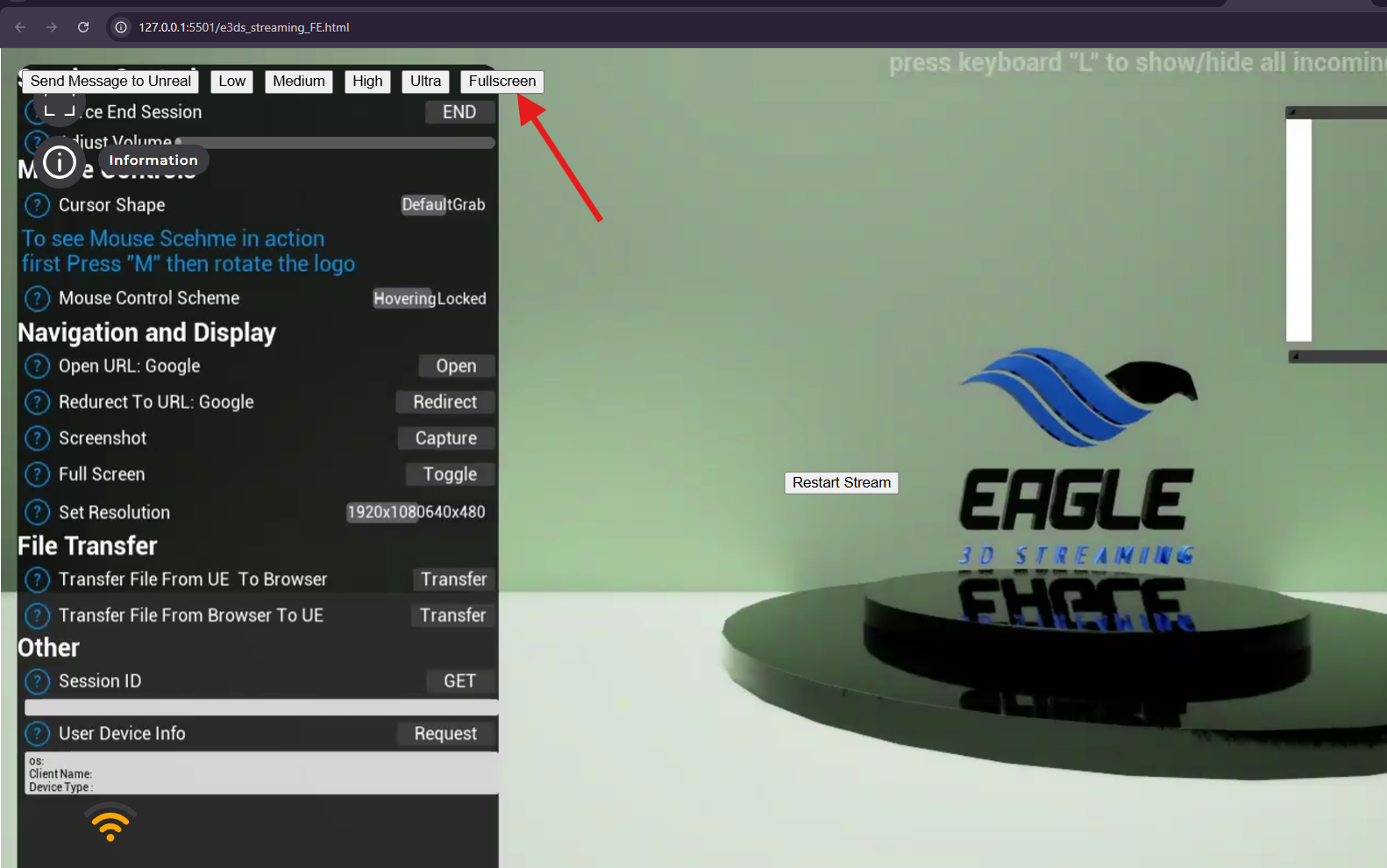
Step 3. Test the Fullscreen Button
After adding the function and button:
-
Run your SDK webpage.
-
Wait until the stream is fully connected.
-
Click the Fullscreen button.
-
The stream should enter fullscreen mode.
-
Click the button again or press
Escto exit fullscreen mode.
You can also open the browser console and check the log:
Toggling fullscreen mode
This confirms that the fullscreen function is being triggered from the frontend.
Live Streaming URL:
https://e3ds.github.io/pixelstreaming-sdk/e3ds_streaming_FE.html
Important
Fullscreen must be triggered by a user action, such as a button click.
Some browsers may block fullscreen if the function is called automatically without user interaction.
Troubleshooting
|
Issue |
Possible Cause |
Solution |
|
Fullscreen button does nothing |
Function name mismatch |
Make sure the button calls the correct function name: |
|
|
Function is not added or not loaded properly |
Add the function in |
|
|
SDK is not loaded yet |
Make sure the SDK is loaded before calling |
|
Fullscreen is blocked |
Browser requires user interaction |
Trigger fullscreen only from a button click |
|
Fullscreen exits immediately |
Browser or device fullscreen restriction |
Test in another browser or check browser fullscreen permissions |
Need help?
If you need any assistance, feel free to reach out through any of the following channels:
🛠️ Support Portal: Contact Our Support Team
💬 Discord Community (Faster Support): Join Our Discord Community
📧 Email Support: support@eagle3dstreaming.com
Follow us on: