Show the mouse cursor in Unreal Engine
In Unreal Engine the mouse cursor is shown with Show Mouse Cursor on the Player Controller. In an app you stream, let the viewer's browser draw the cursor instead: it moves instantly, where Unreal's lags.
In Unreal Engine
The cursor belongs to the Player Controller. In Blueprint, after the level has loaded (for example in the level's Event BeginPlay):
- Get Player Controller (Player Index 0).
- Set Show Mouse Cursor on it, ticked.
- If the viewer must also click UI, add Set Input Mode Game And UI so clicks reach your widgets.
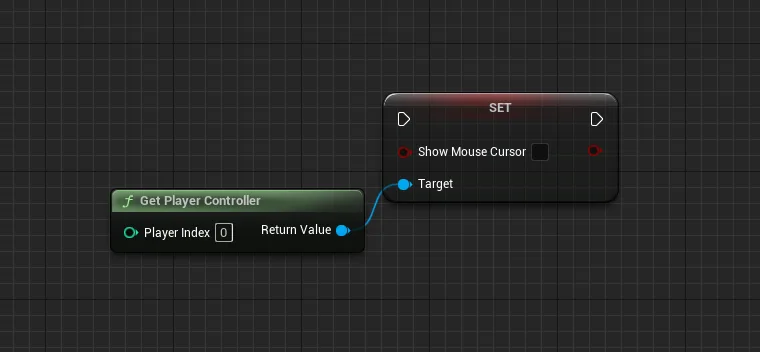
Inside the Player Controller's own Blueprint the same node needs no target. In C++ it is the Player Controller's
bShowMouseCursor = true;.
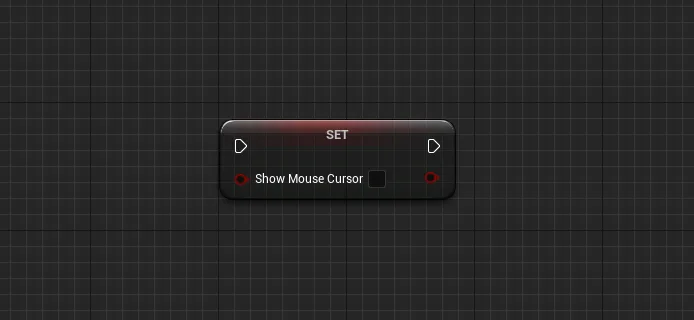
Do not capture the mouse at launch
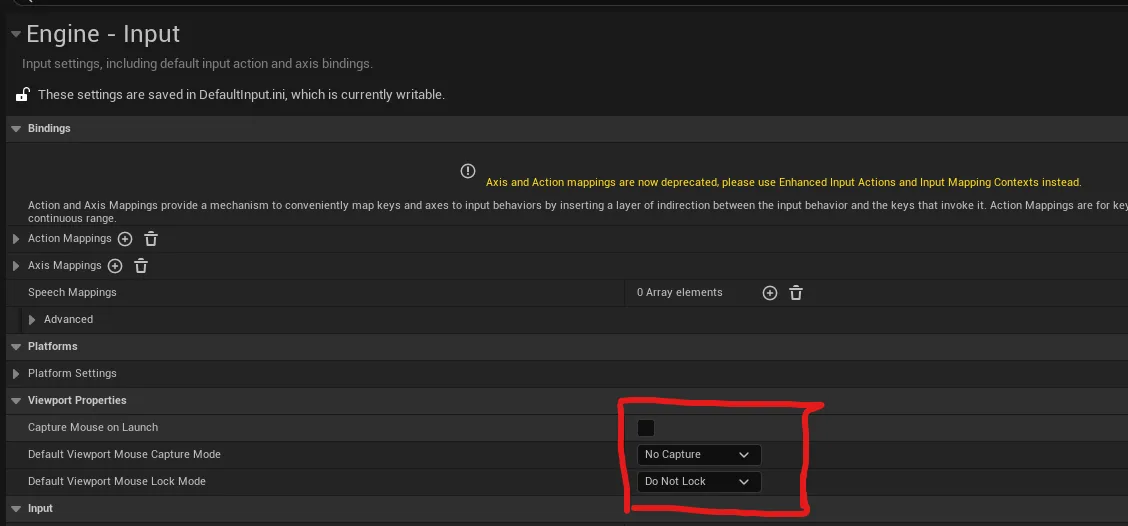
In Project Settings > Engine > Input > Viewport Properties, untick Capture Mouse on Launch, and set Default Viewport Mouse Capture Mode to No Capture and Default Viewport Mouse Lock Mode to Do Not Lock. Otherwise the app takes the mouse as it starts and the cursor disappears.
When the app is streamed
A streamed app has two possible cursors. Unreal can draw one into the frame it renders, and the browser has one of its own.
| Setup | What it feels like | |
|---|---|---|
| Unreal cursor only | The cursor lags the hand. It is drawn into the video, so it arrives a round trip late. | Avoid |
| Browser cursor only | Immediate. The browser draws it locally and Unreal just receives the input. | Use this |
| Both | Two cursors on screen, fighting each other. | Avoid |
Hovering or locked pointer, and switching between them from Blueprint, are covered in Mouse and fullscreen. To show or hide the browser cursor from your own page or from the app while it streams, see Features API › Browser mouse.
Related
Last updated