The Unreal side of sending and receiving data
Your page sends the message. This is what has to exist inside the Unreal application for it to arrive — and how the application sends one back. It is the same in Unreal whether the page uses the Web SDK or an iframe.
The one component everything depends on
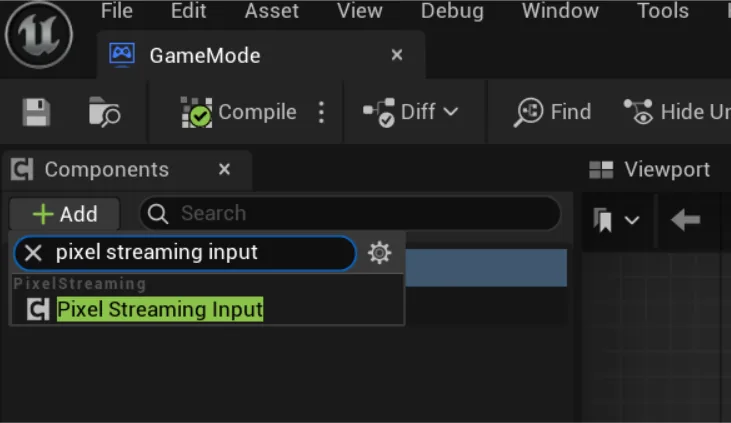
An Unreal actor cannot send or receive Pixel Streaming messages by default. It needs a Pixel Streaming Input component, and adding it is what turns the feature on for that actor.
- Open the Actor Blueprint that should handle the message.
- Press Add Component in the Components panel.
- Add Pixel Streaming Input.
Page → Unreal: receiving a message
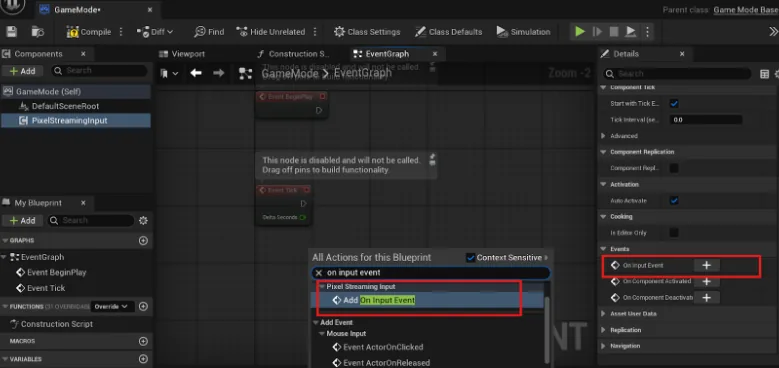
Adding the component gives the actor a new event, On Input Event. It fires every time your page
sends with sendMessageToStreamingBuild, and its Descriptor pin holds the message as a
string.
- Select the Pixel Streaming Input component and press + next to On Input Event in the Details panel — or right-click in the Event Graph and search for On Input Event.
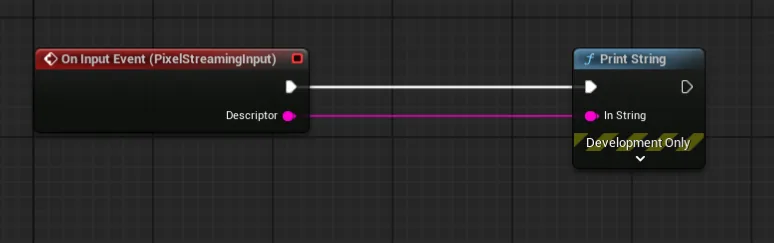
- Connect the Descriptor to whatever should act on the message.
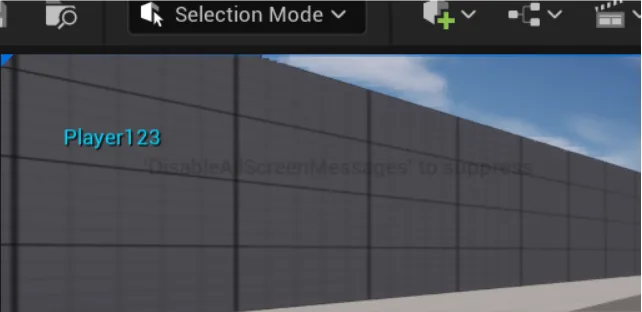
The quickest first test: connect it to Print String. Send a message from your page and it appears on the screen of the stream.
Two kinds of message, and only one needs your code
This is the distinction that decides whether you need to build anything in Unreal at all.
| What the page sends | Who handles it | Do you write Unreal code? |
|---|---|---|
sendConsoleCommandToUE |
the Unreal engine itself | No. Console commands are built in. |
sendCommandToUE |
the streaming platform | No. Resolution and the like are handled for you. |
sendMessageToStreamingBuild — your own messages |
your Blueprint or C++ | Yes. Nothing listens until you write the listener. |
So a stream where sendConsoleCommandToUE("stat fps") works
perfectly and sendMessageToStreamingBuild({ Character: "Aurora" }) appears to do
nothing is not broken. Those two take different paths, and only the second one
needs something of yours at the far end.
Unreal → page: sending a message back
In the Blueprint where the event happens:
- Make sure the actor has the Pixel Streaming Input component, as above — it is needed in both directions.
- Right-click in the graph and add Send Pixel Streaming Response.
- Give it the string you want the page to receive.
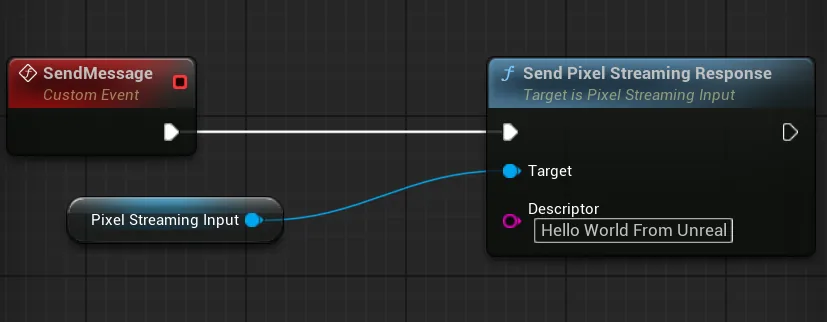
That is the whole Unreal side. The page receives it through one callback:
e3ds_controller.callbacks.onResponseFromUnreal = function (descriptor) {
  console.log("Message from Unreal:", descriptor);
};If you are using an iframe instead
The Unreal side above is identical. The page side differs: you post a message to the frame as a JSON string, carrying one exact key.
const message = {
  cmd: "sendMessageToStreamingBuild",          // required, exactly this
  value: { message: "Hello World!" }
};
// Send it as a STRING. A plain object is dropped without an error.
document.getElementById("iframe_1").contentWindow
.postMessage(JSON.stringify(message), "*");Watch it being done
Sending a message from a web page to Unreal, end to end: Send a message from your webpage to Unreal with the SDK.
Related
Last updated