A VR app
Testing a VR Pixel Streaming build locally has one requirement the others do not: the page must be served over HTTPS, because browsers will not hand WebXR to an insecure page.
A packaged Windows build of a VR-configured project, and a headset on the same network as the machine. Everything up to the last step happens on the computer; only the final step happens in the headset.
Step 1. Fetch the signalling server
Fetch Epic's signalling server exactly as in
Step 2 of the non-VR local test
(get_ps_servers.bat). Do not start it yet — it needs HTTPS
first.
Step 2. Turn on HTTPS
In the SignallingWebServer folder, open config.json
and set:
"https": true
On Unreal Engine 5.4 and older the key is "UseHTTPS": true
— spelled exactly so, capitals included.
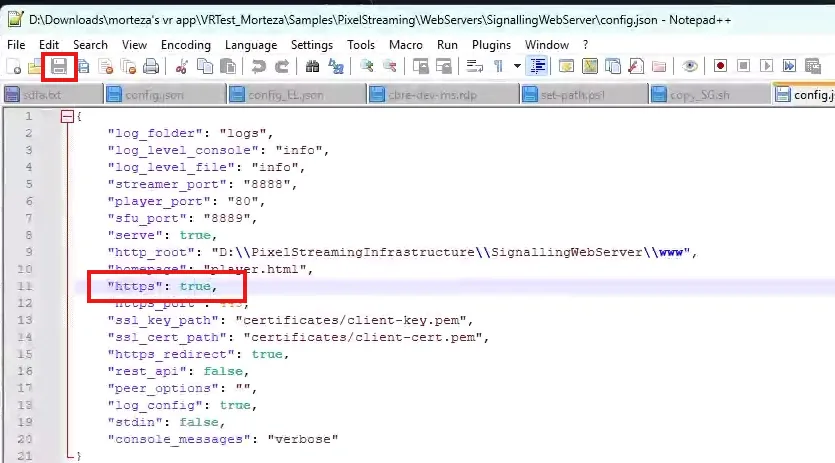
WebXR — the browser API that puts the stream into the headset — is only available on a secure page. Over plain HTTP the stream still works as a normal non-VR picture, and the XR button simply never appears. If you get that far and cannot find the button, this is why.
Step 3. Add the certificate
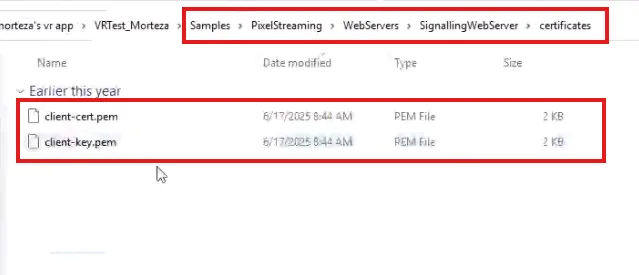
HTTPS needs a certificate. Download
the certificate ZIP
and extract it into the SignallingWebServer folder.
Step 4. Start the signalling server
Start it as in
Step 3 of the non-VR local test:
SignallingWebServer\platform_scripts\cmd\start.bat. On Unreal
Engine 5.4 and older the script is run_local.bat in the same
folder. Leave the terminal open.
Step 5. Launch the app with VR arguments
Launch the app as in Step 4 of the non-VR local test, with three more arguments at the end:
-PixelStreamingEnableHMD -ResX=1920 -ResY=1080The whole set of arguments then reads:
-log -AudioMixer -PixelStreamingURL=ws://127.0.0.1:8888 -RenderOffScreen -AllowPixelStreamingCommands -PixelStreamingEnableHMD -ResX=1920 -ResY=1080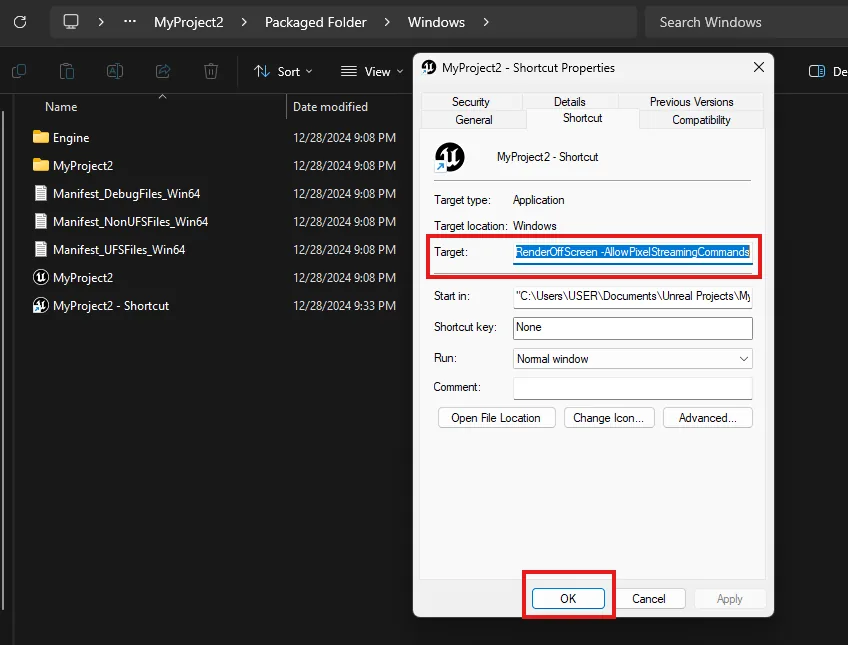
-PixelStreamingEnableHMD is what makes it a VR stream with the
Pixel Streaming plugin. With the Pixel Streaming 2 plugin the parameter is
-PixelStreamingHMDEnable. The resolution flags matter too:
Run the shortcut, and leave its terminal open too.
Step 6. Open it in the headset
On the computer, run
ipconfigand copy the IPv4 address.-
In the headset's browser, go to that address over HTTPS — for example
https://192.168.1.25. Accept the certificate warning. Press the XR button to enter immersive mode.
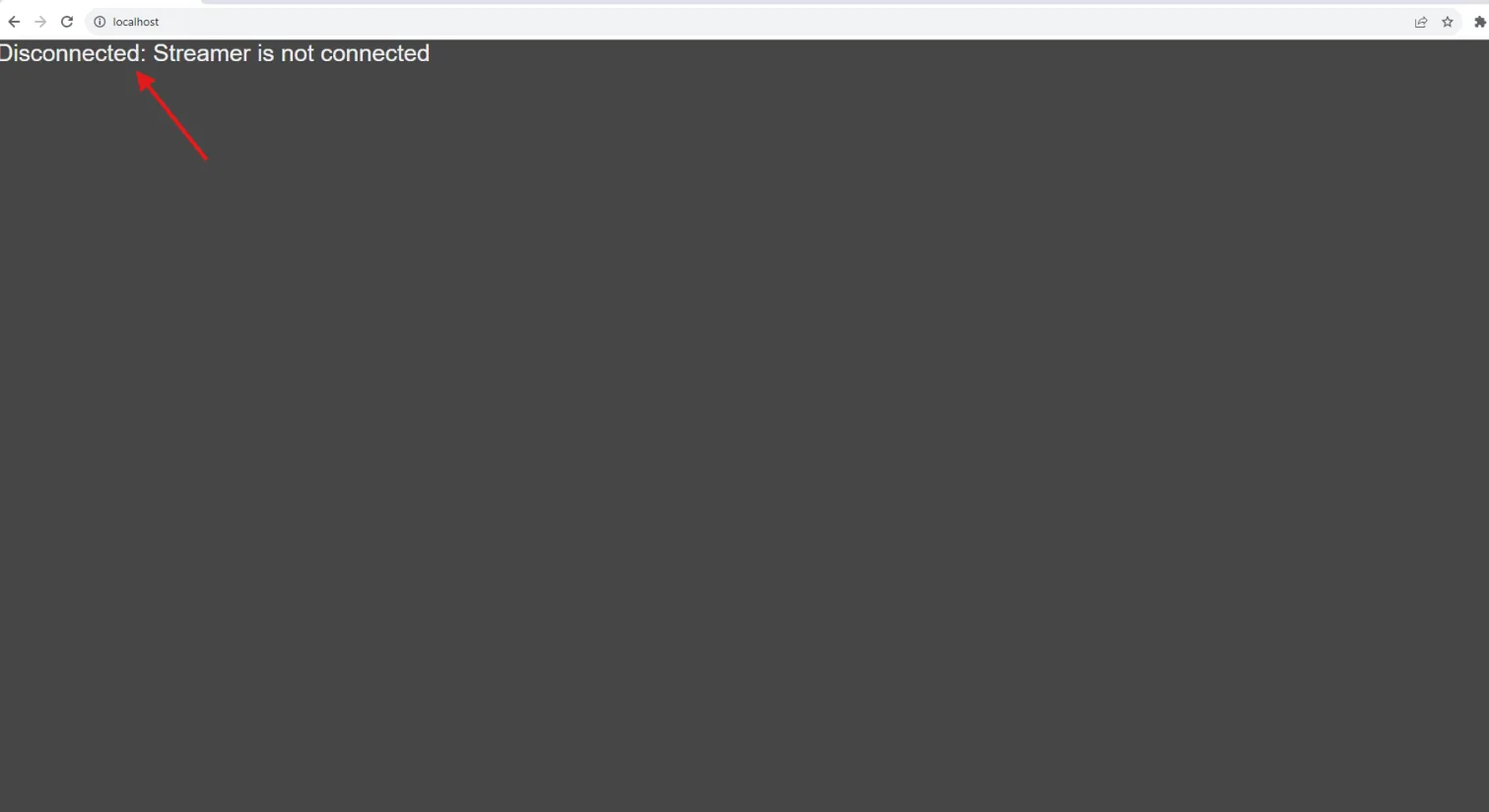
If instead you see a plain server page with no stream, the build was packaged without Pixel Streaming enabled — the same failure as the non-VR local test. If you see the stream but no XR button, HTTPS is not actually on.
What VR streaming needs on the project side, and what it costs.
Related
Last updated