Connect the game to the multiplayer dedicated server
With the dedicated server running and its IP address and port noted (Start the multiplayer dedicated server), connect your game to it: open the game's stream link, enter the address in the game, and every player who does the same is in the same match.
1. Give the game a way to join
A streamed player has no console to type an address into, and the Third Person Template has no join button. So the game needs a small join box of its own — or automatic join, which needs no box at all.
In your project, create a widget (for example on the main menu) with a text box for the server address and a Join button.
On the button's On Clicked event, call Open Level (by Name) and pass the text from the box as the Level Name, in the form
IP:port— for example172.7.191.81:28889. Opening an address instead of a map name connects the game to that server.Show the widget when the game starts, package the game again and upload it as a new build of your project.
2. Join from the browser
In Your Projects, open the game's project and copy its stream link.
Open that URL — on two devices, or in two browser windows for two players.
In each, enter the server's
IP:portin the join box and press Join.
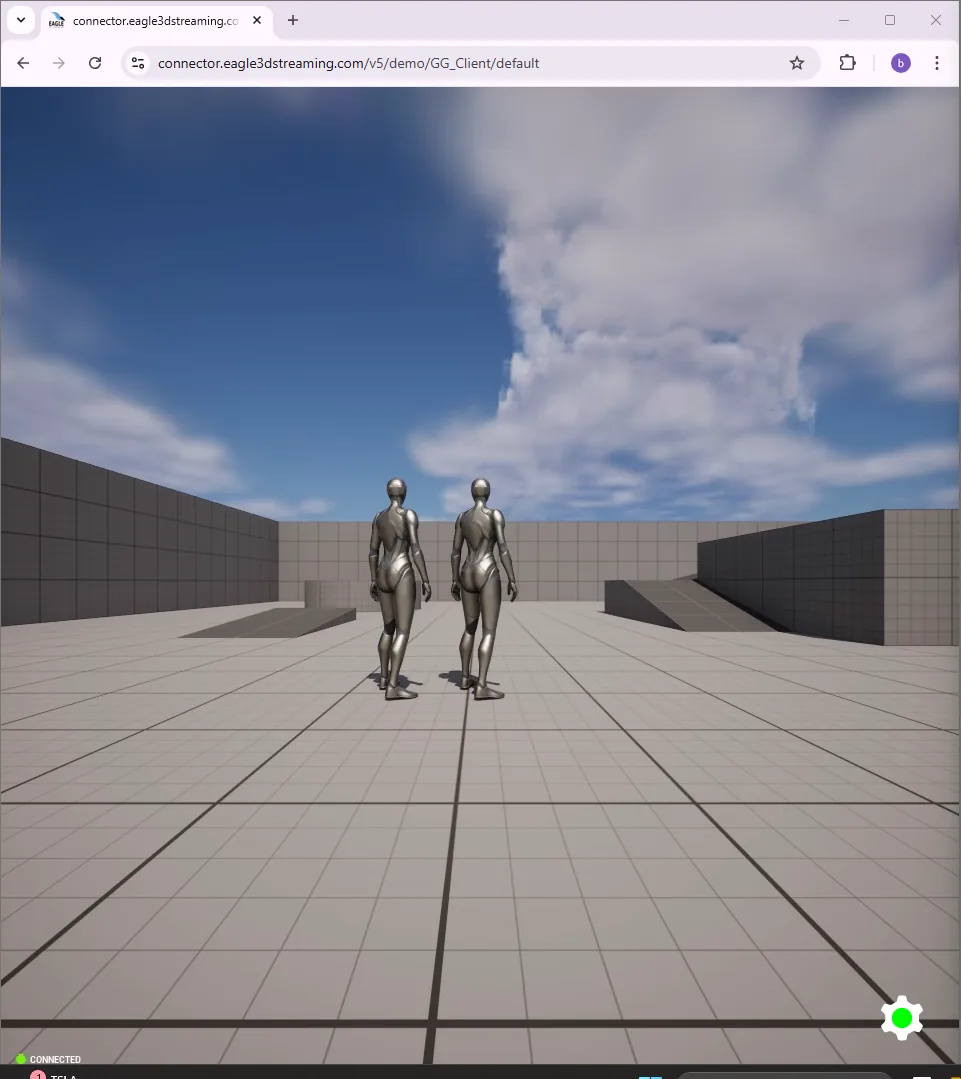
Two avatars in one world, each moving when its own player moves. If each window shows only one player, they are in separate sessions — the join did not happen, whatever the connection appeared to do. Check the address and port against the running server in the Control Panel.
This works from a mobile browser too — there is nothing desktop-specific about a streamed multiplayer client.
Testing with the desktop build
Before uploading the game, you can point a local build at the running server and check the multiplayer behaviour itself.
Run the packaged game on your machine. Package it as Development (or DebugGame) for this test — the console is compiled out of Shipping builds.
-
Press ` (backtick) to open the console and connect:
open 172.7.191.81:28889 Do the same in a second instance, so there are two players.

Skip the manual work: use the plugin
Everything on this page is the route without our Multiplayer Server Scaling plugin. With the plugin in your game:
- No starting the server - it is started automatically when a player opens the game.
- No IP address or port to note - the plugin hands the address to every player.
- No join box and no typing - every player joins the right server automatically.
- More servers when more players come - new servers start as matches fill up.
See automatic join for how to add it.
Watch it happen by itself: in this video the plugin starts the server and every player joins it on their own - no Start Server, no address, no typing.

Players join without typing any address - the way to run a real event.
Related
Last updated